
Open Launcher for Google TV1.6 - Get APK
You'll be able to download in few seconds.
Publisher Description
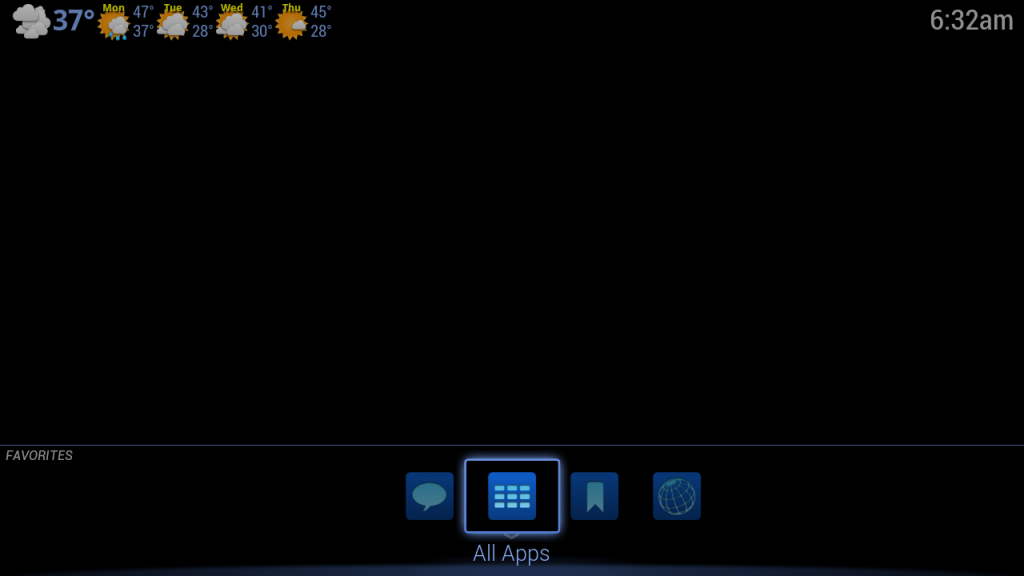
The ultimate Google TV launcher. The Open Launcher app is an alternative to the default home launcher app provided by Google TV.
The user interface consists of rows of your favorite apps which you can customize. It also includes a special row at the bottom for the most recent apps launched.
Features:
- More room for organizing your favorite apps
- Support for grouping of apps, web apps, channels and web sites
- Quick access to recent apps
- Supports fast D-pad navigation
- Overlay design that displays more of live TV
- Direct access to browser bookmarks and history
- Direct access to Spotlight web apps
- Displays current weather (USA only)
- Various customizable settings
- Change wallpaper
Instructions:
- To add an app: Use the D-pad arrow keys to select any row other than the "Recent Apps" row. Press Menu and select "Add App". You can select the current row or enter the name for a new row. Then select the app you want to add.
- To add a Spotlight web app: Select any row other than the "Recent Apps" row. Press Menu and select "Add Spotlight Web App". You can select the current row or enter the name for a new row. Then select the web app you want to add.
- To add a TV channel as a favorite (Google TV only provides channel data for USA): Go to live TV, press Menu, select Save and then "Add channel to home screen". Type in the channel number or name. Select the channel from the list and press OK.
- To add a web site as a favorite: Load the site in the Chrome browser. Press Menu, select Save and then "Add to home screen". Confirm the web site details and select the OK button.
- To add a web site to bookmarks: Add bookmark in Chrome and then use Bookmarks app.
- To uninstall an app: Select All Apps, then long click on the app you want to uninstall.
- To use a personal photo as the wallpaper: Launch the Photos app and view the photo fullscreen. Press the Menu button and select "Set as wallpaper".
Limitations:
- Widgets are not supported.
- The icons provided by Google TV for bookmarks and for TV channel icons are low-res. In some cases, TV channels have generic icons.
Permissions:
Get Tasks - needed to determine which recent apps have been launched.
Read History Bookmarks - to provide quick access to browser bookmarks.
Expand Status Bar - to display notifications.
Course Location - to determine zip code for weather data.
Internet - to download weather data.
External storage - to cache images
Wallpaper - to change the system wallpaper
The code for this app is open sourced at: https://github.com/entertailion/Open-Launcher-for-GTV
Problems:
Please email us at feedback@openlauncher.com; we cannot reply to comments or Android error reports and many reported problems require that we ask for more details in order to fix.
About Open Launcher for Google TV
The company that develops Open Launcher for Google TV is ENTERTAILION LLC. The latest version released by its developer is 1.6.
To install Open Launcher for Google TV on your Android device, just click the green Continue To App button above to start the installation process. The app is listed on our website since 2013-02-21 and was downloaded 0 times. We have already checked if the download link is safe, however for your own protection we recommend that you scan the downloaded app with your antivirus. Your antivirus may detect the Open Launcher for Google TV as malware as malware if the download link to com.entertailion.android.launcher is broken.
How to install Open Launcher for Google TV on your Android device:
- Click on the Continue To App button on our website. This will redirect you to Google Play.
- Once the Open Launcher for Google TV is shown in the Google Play listing of your Android device, you can start its download and installation. Tap on the Install button located below the search bar and to the right of the app icon.
- A pop-up window with the permissions required by Open Launcher for Google TV will be shown. Click on Accept to continue the process.
- Open Launcher for Google TV will be downloaded onto your device, displaying a progress. Once the download completes, the installation will start and you'll get a notification after the installation is finished.
Program Details
System requirements
Download information
Pricing
Version History
version 1.6
posted on 2013-02-21
Several fixes and updates
version 1.6
posted on 2013-02-21
- Change row name,- Bug fixes
Disclaimer
External Download
We do not host Open Launcher for Google TV on our servers. We did not scan it for viruses, adware, spyware or other type of malware. This app is hosted by Galad and passed their terms and conditions to be listed there. We recommend caution when installing it.
The APK Download link for Open Launcher for Google TV is provided to you by apps112.com without any warranties, representations or guarantees of any kind, so access it at your own risk.
If you have questions regarding this particular app contact the publisher directly. For questions about the functionalities of apps112.com contact us.
